
Effects
Overlay animations and audio reactivity: make the pole respond to music.
Effects and audio reactivity are new and still under active development. Expect some rough edges, and expect the controls and the available effects to change as they mature.
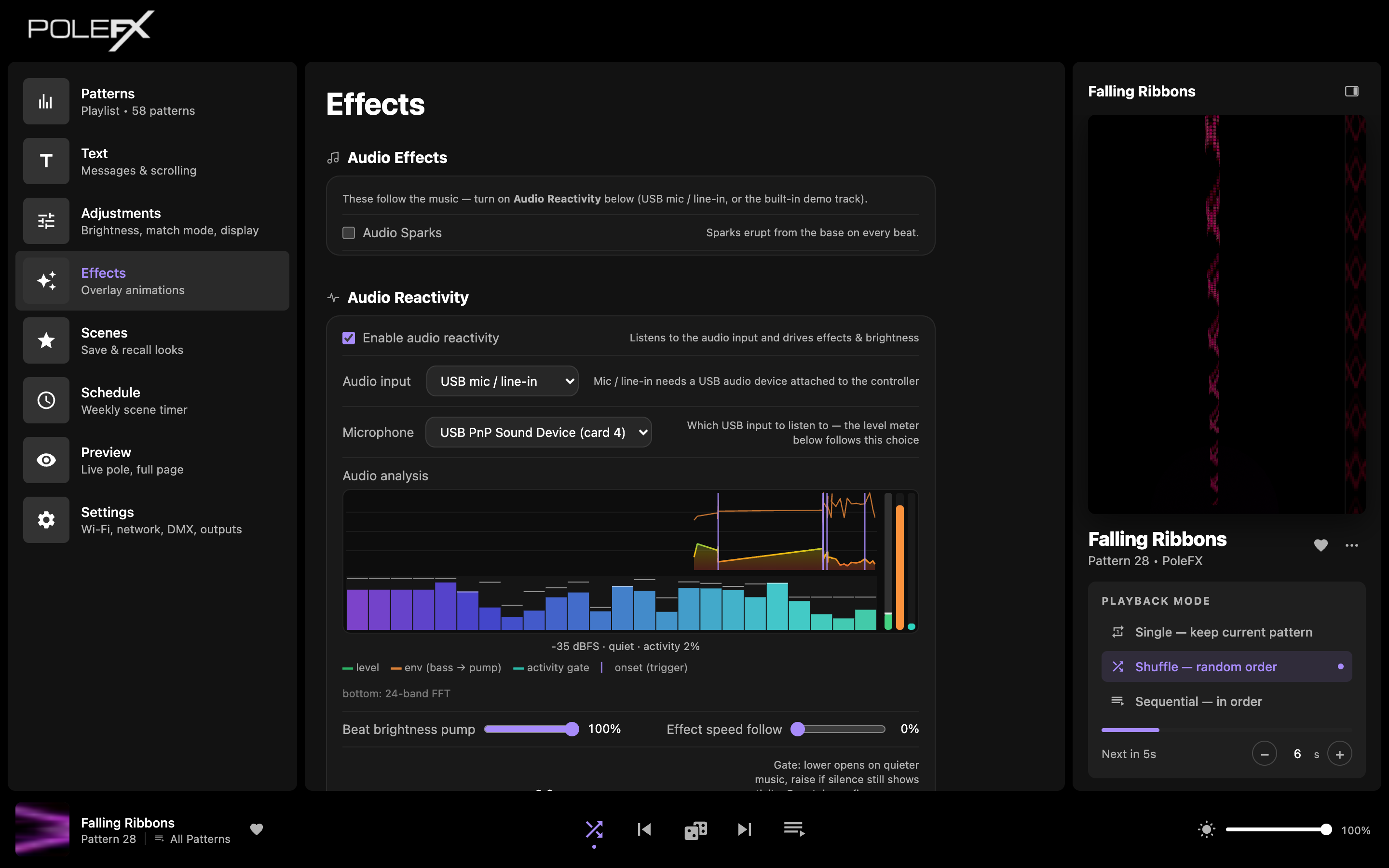
Audio effects
Overlays that follow the music. They need Audio Reactivity (below) turned on:
- Audio Sparks: sparks erupt from the base on every beat.
Audio reactivity
Audio reactivity listens through a USB microphone or USB audio interface plugged into the PoleFX Player. With nothing connected there is no sound for the pole to react to. (The built-in demo track can stand in for a mic when you just want to test the effects.)
Enable audio reactivity lets the pole listen to sound and drive effects and brightness.
- Audio input: a USB mic / line-in, or the built-in demo track for testing without a mic.
- Microphone: which USB audio device to listen to.
The Audio analysis meter shows, in real time: the input level, the bass envelope that drives the brightness pump, the activity gate, and detected beats (with a 24-band spectrum along the bottom).
- Beat brightness pump: how hard each beat pushes brightness.
- Effect speed follow: how much the music's energy speeds up effects.
- Gate: lower it to open on quieter music; raise it if silence still triggers reactions.
In true silence nothing fires. The activity gate holds reactions closed until there's real music present.