
PoleFX Documentation
Set up and control your poles
Everything you need to get a pole on the network, drive it from the control player, and dial in patterns and text. Start with your pole type, then head into Control.
Your first five minutes
A new pole goes from boxed to playing in five steps. Nothing here needs the internet: the Player makes its own network and the web app runs on the Player.
Permanent, portable, and wired aerial poles all take a cable from a PoleFX Player. A wireless aerial pole has neither: it carries its own battery and its own player, so it has no Player to connect and no cable to run. Start at Aerial Pole instead.
-
Mount the pole
Follow the guide for your pole type below. This is the only step that takes tools, and on a permanent or aerial pole it is the step that needs a qualified installer or rigger.
You should see The pole mounted and spinning freely in its bearings.
-
Connect power and data
Run a network cable from the Player to the pole, plug in the pole's own power supply, then the Player's.
You should see A short purple flash on the pole when it gets power. Where it appears depends on the build, so your pole's page below says which end to watch.
Careful The pole has its own power supply. It does not take power from the Player.
-
Wait about a minute
The Player boots, then starts driving the pole.
You should see A still pattern first, then a moving one once the Player is up.
-
Join
pfx_defaultOn your phone or laptop, open Wi-Fi settings and join the Player's own network. The password is
polefx123.You should see Your device joins and reports no internet, which is correct.
-
Open
polefx.localType it into a browser. If the name does not resolve, use
10.10.10.10. Then pick a pattern.You should see The Patterns page, and the pole changing as you click.
Pole configurations
Pick the mount that matches your install. Each has its own wiring, power, and calibration notes.
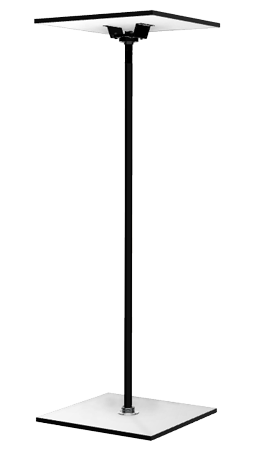
Permanent Pole
Rigidly mounted bearings on the top and bottom.
View details →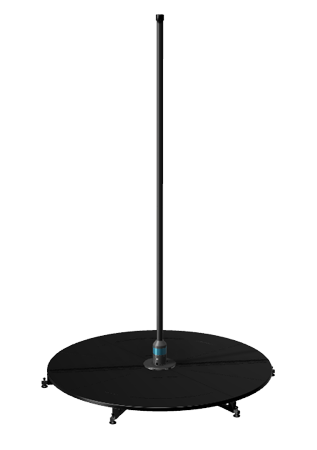
Portable Pole
No top support, mounted in a portable stage.
View details →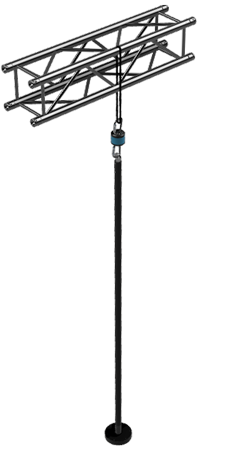
Aerial Pole
Suspended from an overhead rigging point.
View details →Which one fits your space?
- Mounting
- Bearings fixed to the floor and the ceiling.
- Needs
- A solid ceiling point above a solid floor point.
- Moves?
- No. It stays where you install it.
- Mounting
- Mounts in an X-Stage Lite stage. No top support.
- Needs
- Floor space for the stage, and nothing overhead.
- Moves?
- Yes. It packs down and travels.
- Mounting
- Suspended from a rigging point on rated hardware.
- Needs
- A rated overhead point, and clear floor beneath.
- Moves?
- Yes, wherever there is a point to rig it.
Control
What the Player does
Every control method feeds the Player, and the Player drives the poles. The one exception is pixel streaming, which goes straight to a pole.
The PoleFX Player
A media server that streams pattern content to the poles and exposes the web UI, DMX, and OSD control interfaces. This little box does the work. Open it in a browser to run the show.
Explore Control →
Where should I start?
-
If The pole is not up yet
-
If The pole is up but nothing lightsGo to Network, to check the Player, the cable, and the addresses.
-
If You cannot open the web appGo to Web App Overview, which has the recovery checklist.
-
If It works and you want to run a show
-
If You have no phone or laptop with youGo to On-Screen Display, and use the five buttons on the Player.
-
If You want to run it from a lighting deskGo to DMX.
-
If You want to send your own video or pixelsGo to Pixel Streaming.