
Text Display
Use this page to display custom text messages on the LED pole. It is the Text page of the interface supplied before July 2026. For the map of the whole screen, see the interface map.
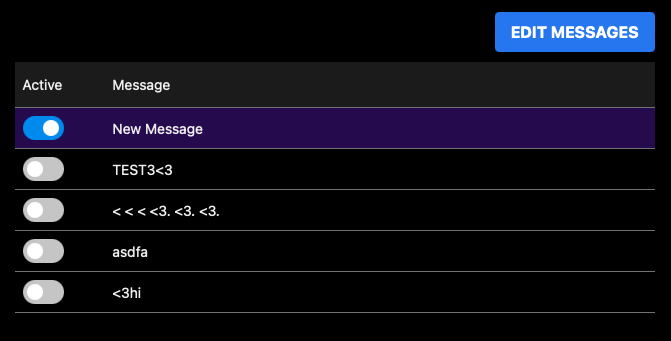
Drag messages to reorder them. Select one message to display it; only one can be active at a time.
Previous PlayerBefore July 2026Text
 1
2
3
4
5
6
1
2
3
4
5
6
- Edit Messages The button above the list. It opens the editing view for the message list.
- Two columns Active on the left, Message on the right. Every saved message has a row.
- Active switch Turn one on to put that message on the pole. This is the control to use first.
- The message on the pole The row with the switch on is the highlighted one. Only one message can be active at a time, so switching one on switches the others off.
- Switched off Every other row. The messages stay in the list, ready to switch on.
- Row order Drag a row to move it in the list.
Previous interface guide
You are reading the guide for players supplied before July 2026. These are its three pages.